
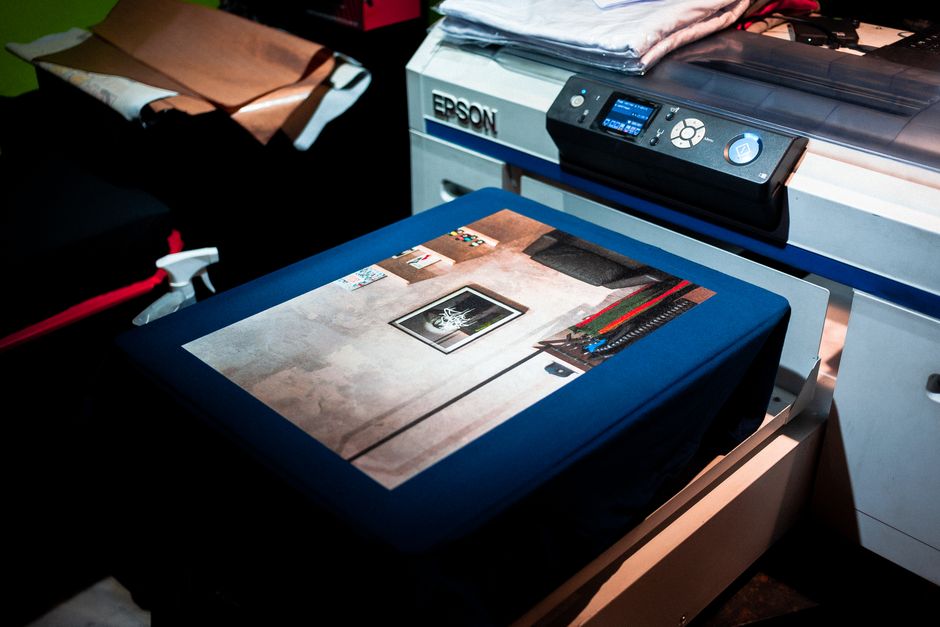
Introduction to Dye Sublimation Printing
Dye sublimation printing has revolutionized the way we approach printing, offering vibrant and durable results that are hard to match. This technology involves the transfer of dye onto materials such as fabric, plastic, or paper through a heat process, creating stunning images that are embedded into the substrate. The roots of dye sublimation printing can be traced back to the 1950s, but it gained significant momentum in the 1990s with advancements in printing technology. Today, it is a cornerstone of the printing industry, especially in sectors that require high-quality imagery and color accuracy.
As businesses continue to look for innovative ways to produce unique products, dye sublimation printing stands out for its versatility and efficiency. Whether you are a small business owner or a hobbyist, understanding the ins and outs of dye sublimation can open up new avenues for creativity and profitability.
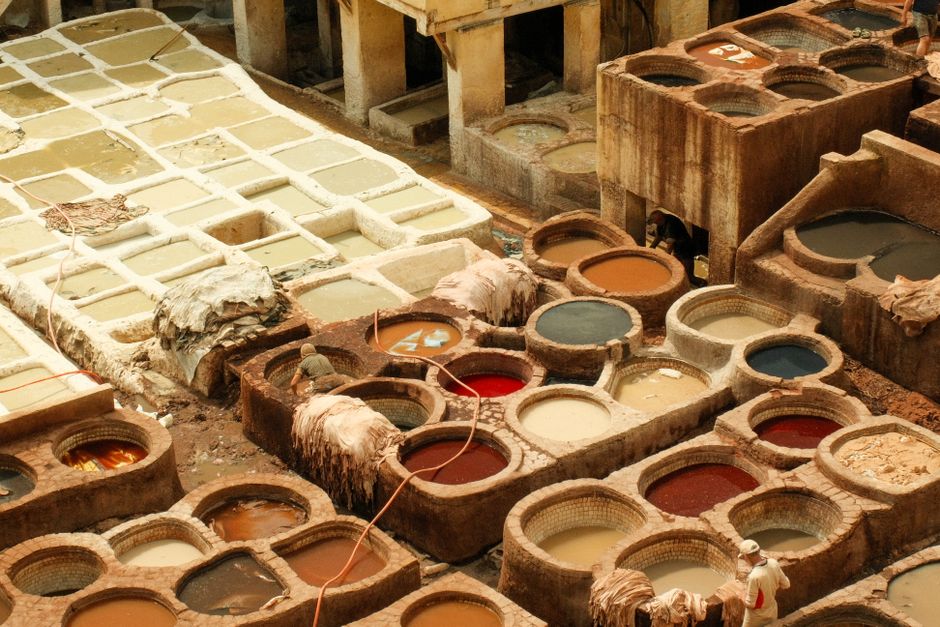
How Dye Sublimation Printers Work
Dye sublimation printers operate on a unique principle that distinguishes them from other printing methods. The process involves the transformation of solid dye into gas without passing through a liquid state, a process known as sublimation. This allows for vivid colors and sharp details, making it a popular choice for various applications. Let’s delve deeper into the technology that makes dye sublimation printing possible.
Understanding the Dye Sublimation Process
The dye sublimation process consists of several key steps that work together to produce high-quality prints:
- Design Creation: The process begins with creating a digital design using graphic design software. The design is prepared in a format compatible with the printer.
- Printing the Transfer: The design is printed onto a special transfer paper using dye sublimation ink. The ink is applied in a mirrored format to ensure correct orientation when transferring.
- Heat Pressing: The printed transfer paper is placed on the substrate (such as fabric or a rigid surface) and subjected to heat and pressure using a heat press. The heat causes the dye to turn into gas.
- Dye Bonding: As the gas comes into contact with the substrate, it permeates the material and bonds at the molecular level, creating a permanent image.
- Cooling: Once the heat is removed, the dye solidifies and the transfer paper is peeled away, revealing a vibrant, durable print.
This seamless process results in prints that are not only visually stunning but also resistant to fading, scratching, and peeling, making them ideal for a variety of applications.
Components of a Dye Sublimation Printer
To understand how dye sublimation printers work, it’s essential to familiarize ourselves with their core components:
- Ink: Dye sublimation ink is specially formulated to turn into gas when heated. This ink is available in various colors and is crucial for achieving high-quality prints.
- Transfer Paper: This paper is coated to accept the dye when printed. It plays a vital role in transferring the ink to the final substrate.
- Heat Press: A heat press applies the necessary temperature and pressure to transfer the dye from the paper to the substrate effectively.
- Printer Hardware: The printer itself includes print heads, control systems, and software that manage the entire printing process.
Each component works in harmony, ensuring that the dye sublimation process runs smoothly and produces high-quality results.
Types of Dye Sublimation Printers
The market offers a wide range of dye sublimation printers designed to cater to various needs and environments. Understanding the different types can help you choose the right printer for your specific requirements.
Desktop Dye Sublimation Printers
Desktop dye sublimation printers are compact and user-friendly, making them ideal for home users and small businesses. These printers typically have lower output capacities but are perfect for creating personalized items, such as custom t-shirts or photo prints. They are designed to handle smaller volumes, making them cost-effective for those just starting in the dye sublimation printing world.
Some popular models in this category include the Sawgrass Virtuoso SG500 and the Epson SureColor F170. These printers are known for their ease of use and excellent print quality, making them a favorite among hobbyists and small-scale entrepreneurs.
Commercial Dye Sublimation Printers
For businesses that require high-volume production, commercial dye sublimation printers are the go-to choice. These larger machines are built to handle significant workloads and can produce high-quality prints at an impressive speed. They are commonly used in professional settings, such as textile manufacturing, promotional product printing, and more.
Examples of commercial printers include the Epson SureColor F-Series and the Mimaki JV Series, which offer advanced features like dual print heads and larger ink capacities. These printers ensure consistent quality while providing the efficiency needed in a fast-paced environment.
All-in-One Dye Sublimation Solutions
All-in-one dye sublimation solutions integrate printing, cutting, and heat pressing into a single system. These machines are particularly beneficial for businesses that need a streamlined workflow, allowing them to produce finished products in one go without the need for multiple devices.
These integrated systems are ideal for producing items like custom apparel, banners, and promotional items. They save time and reduce the potential for errors that may arise from transferring between different machines. Brands like Roland and Mimaki offer all-in-one solutions that cater to various business sizes and requirements.
Applications of Dye Sublimation Printing
The versatility of dye sublimation printing allows it to excel across numerous industries and applications. From fashion to promotional products, the potential uses are vast and varied.
Textiles and Apparel
Dye sublimation printing shines in the textiles and apparel industry, where vibrant colors and intricate designs are paramount. This printing technology is commonly used for creating sports jerseys, fashion items, and home textiles. One of the significant advantages is that the dye becomes part of the fabric, resulting in a soft finish that does not crack or fade over time.
Sports teams frequently use dye sublimation to produce custom uniforms that represent their brand while ensuring durability and comfort for athletes. Additionally, fashion designers are leveraging this technology to create unique, eye-catching patterns that stand out in the crowded fashion market.
Promotional Items
Businesses utilize dye sublimation printing to create a variety of promotional products. Items such as mugs, keychains, and phone cases can be customized with logos and designs that reflect a company’s branding. The durability of dye sublimation prints ensures that these promotional items remain vibrant, making them effective marketing tools.
For instance, companies can hand out personalized giveaways at trade shows or events, providing potential customers with memorable items that feature their branding. This increases brand recognition and fosters a positive association with the company.
Personalized Gifts and Home Décor
Dye sublimation printing has become a popular choice for creating personalized gifts and home décor items. Items such as photo blankets, custom wall art, and unique kitchenware can be tailored to individual tastes, making them thoughtful gifts for special occasions.
During the holiday season, for example, many people turn to dye sublimation printing to create custom ornaments or festive decorations that can be cherished for years to come. The ability to offer personalized products has opened new markets for businesses and provided consumers with meaningful gift options.
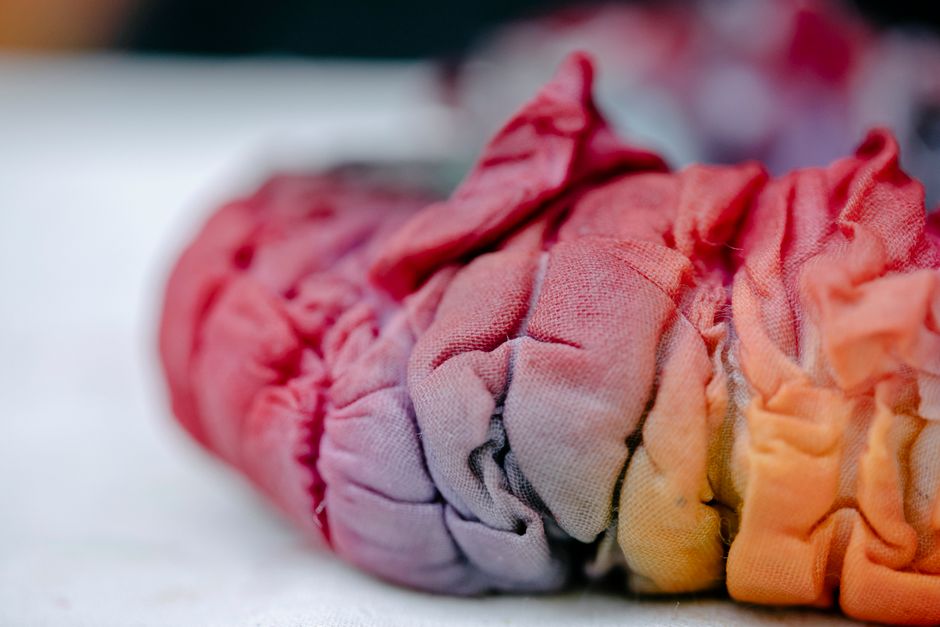
Advantages of Dye Sublimation Printing
Dye sublimation printing comes with a plethora of benefits that make it a preferred choice for many printing applications. This technology stands out when compared to traditional printing methods due to its unique features and capabilities. Below, we will explore the key advantages that make dye sublimation printing a top contender in various industries.
High-Quality Prints
One of the most significant benefits of dye sublimation printing is its ability to produce high-quality prints with vibrant colors. The dye sublimation process involves converting solid dye into gas without passing through a liquid state, allowing the dye to penetrate the material. This results in prints that are rich in color depth and detail.
Moreover, the colors created through dye sublimation are highly resistant to fading, ensuring that prints maintain their captivating appearance over time. This durability is particularly advantageous for items that are frequently washed or exposed to sunlight, such as clothing and outdoor banners. As a result, dye sublimation prints are not only visually appealing but also long-lasting, making them an excellent investment for businesses.

Versatility and Customization
Dye sublimation printing is remarkably versatile, allowing for printing on a wide array of materials including polyester fabrics, coated metals, and plastics. This capability opens up a world of possibilities for customization. Businesses and individuals can create unique products tailored to specific needs or tastes.
From custom apparel to personalized gifts, the flexibility of dye sublimation enables designers to experiment with various colors, patterns, and sizes without compromising quality. This adaptability makes it an excellent option for companies looking to create promotional items or for artists seeking to showcase their work on different mediums. The potential for customization is virtually limitless, allowing for a personalized touch that resonates with customers.
Cost-Effective for Bulk Production
For businesses involved in mass production, dye sublimation printing offers significant cost savings. Unlike other printing methods, which may require expensive setup costs for each design, dye sublimation can efficiently handle large orders. Once the initial setup is complete, businesses can produce high volumes of prints without incurring substantial additional costs.
This is particularly beneficial for companies that specialize in custom merchandise, as they can offer competitive pricing while maintaining quality. The speed of dye sublimation printers also contributes to efficiency, allowing businesses to fulfill larger orders in a shorter timeframe. As a result, dye sublimation printing stands out as a cost-effective solution for both small and large-scale production needs.
Limitations of Dye Sublimation Printing
While dye sublimation printing boasts numerous advantages, it is essential to recognize the limitations and challenges associated with this technology. Understanding these drawbacks can help businesses make informed decisions when considering dye sublimation for their printing needs.
Material Compatibility
One of the primary limitations of dye sublimation printing is its material compatibility. Dye sublimation works best on synthetic materials, particularly those that contain polyester. Natural fibers such as cotton or silk do not yield the desired results, as the dye cannot bond effectively with these materials. This limitation may restrict the types of products that can be printed using this method.
Additionally, while dye sublimation can print on specially coated substrates, not all materials are suitable. Businesses must carefully select materials that are compatible with dye sublimation to achieve optimal results. This can sometimes complicate the sourcing process, as it may involve additional costs for coated products.
Initial Investment Costs
Another consideration when evaluating dye sublimation printing is the initial investment required for equipment and supplies. High-quality dye sublimation printers can be more expensive than traditional inkjet or laser printers. In addition to the printer, businesses must also invest in sublimation inks, transfer papers, and heat press equipment, which can add to the overall cost.
While the long-term savings from bulk production can offset these initial costs, it may present a barrier for small businesses or individuals looking to enter the dye sublimation market. Thus, it is crucial to weigh the initial investment against the potential benefits before making a commitment to this printing method.
Environmental Considerations
As sustainability becomes an increasingly important factor in business operations, it’s essential to consider the environmental impact of dye sublimation printing. The process involves the use of chemical dyes and may produce waste materials that require proper disposal. Additionally, the production of synthetic materials often has a larger carbon footprint compared to natural fibers.
While some dye sublimation manufacturers are taking steps to develop more sustainable practices, such as using eco-friendly inks and materials, the industry as a whole still faces challenges regarding environmental sustainability. Businesses looking to adopt dye sublimation printing should be mindful of these factors and seek out suppliers that prioritize eco-friendly practices.
Choosing the Right Dye Sublimation Printer
When considering getting into dye sublimation printing, selecting the right printer is crucial to ensure that it meets your needs. The following sections provide guidance on key factors to assess when choosing a dye sublimation printer.
Assessing Your Printing Needs
Before making a purchase, it is essential to evaluate your specific printing needs. Consider factors such as print volume, size, and the types of materials you plan to use. If you’re running a small business that requires a high volume of prints, investing in a commercial-grade printer may be necessary to keep up with demand.
Additionally, determine the size of the prints you need to produce. Some printers are designed for larger formats, while others are more suited for smaller, detailed designs. Understanding your requirements will help you choose a printer that aligns with your business goals and output expectations.
Budget Considerations
Budgeting is another critical aspect when selecting a dye sublimation printer. Costs can vary significantly based on the printer’s capabilities, brand, and features. In addition to the initial purchase price, consider ongoing expenses such as ink, transfer paper, and maintenance.
It is advisable to create a comprehensive budget that includes all potential costs associated with dye sublimation printing. This will help you avoid overspending and ensure that you can sustain the operation of your printer over time.
Brand Recommendations
With numerous brands available in the dye sublimation market, it can be challenging to determine which ones are reputable. Some well-known brands include Sawgrass, Epson, and Ricoh, each offering a range of models suited for different applications.
For entry-level models, the Sawgrass Virtuoso series is highly recommended for its ease of use and excellent print quality. For those looking for commercial solutions, Epson’s SureColor F-Series and Ricoh’s Aficio SG series are popular choices for their reliability and performance in high-volume environments.
Getting Started with Dye Sublimation Printing
Once you have selected the right dye sublimation printer, it’s time to get started. Here’s a step-by-step guide to help you navigate the initial setup and begin printing.
- Unboxing and Setup: Carefully unbox your dye sublimation printer, following the manufacturer’s instructions for setup. Ensure that you have all necessary components, including power cords, ink cartridges, and any accompanying software.
- Install Software: Most dye sublimation printers come with dedicated software. Install this software on your computer to facilitate design and printing. Familiarize yourself with its features to maximize your printing capabilities.
- Load Paper and Ink: Load the appropriate sublimation transfer paper into the printer and install the dye cartridges as per the instructions. Ensure everything is correctly positioned to avoid printing errors.
- Create Your Design: Use graphic design software to create your print designs. Be mindful of the color profiles and resolutions to ensure the best print quality.
- Print a Test Page: Before proceeding with a large print job, it’s advisable to print a test page. This will help identify any issues with color, alignment, or quality.
- Heat Pressing: Once your design is printed, use a heat press to transfer the dye onto the chosen substrate. Follow the manufacturer’s guidelines for temperature and time settings to achieve optimal results.
By following these steps, you can effectively start your journey in dye sublimation printing, leading to beautiful, high-quality prints that fulfill your creative or business needs.

Setting Up Your Printer
Setting up your dye sublimation printer correctly is crucial for optimal performance and print quality. Follow these detailed steps to ensure a smooth setup process.
Unboxing Your Printer
Begin by carefully unboxing your printer. Remove all packaging materials, including tape and styrofoam, which are typically used to secure parts during shipping. Check the included components against the manual to ensure you have everything needed for setup. This usually includes:
- The printer unit
- Power cord
- Ink cartridges
- Transfer paper
- Setup guide or manual
- Software installation disk or download link
Assembling the Printer
Next, position the printer on a stable, flat surface away from direct sunlight and heat sources. Ensure there is adequate ventilation around the device to prevent overheating. If your printer model requires any assembly, follow the manufacturer’s instructions closely. Typically, this involves:
- Attaching any trays or stands.
- Inserting the ink cartridges into their designated slots.
- Loading the sublimation paper into the paper tray.
Double-check that all components are securely fastened and properly aligned.
Configuring Your Printer
After the physical setup, it’s time to configure your printer. Plug the power cord into an electrical outlet and turn on the printer. Follow these steps:
- Connect the printer to your computer using either a USB cable or through a wireless network, depending on your printer model.
- Install the software on your computer. This software is crucial as it controls the printer’s settings and allows you to manage print jobs effectively.
- Follow the on-screen prompts to complete the software installation. This may include selecting the printer model and configuring print preferences.
- Once installed, print a test page to ensure everything is functioning correctly.
Properly configuring your printer will help avoid issues down the line and ensure that you can start printing high-quality designs right away.
Gathering Supplies
To achieve the best results in dye sublimation printing, having the right supplies is crucial. Below are the essential materials you will need.
Essential Materials for Dye Sublimation Printing
Gathering the correct supplies will streamline your printing process and enhance your output quality. Here’s a list of essential materials:
- Dye Sublimation Ink: Always use high-quality dye sublimation ink specifically designed for your printer model. This ink is vital for producing vibrant colors and sharp images.
- Sublimation Transfer Paper: Choose transfer paper that is compatible with your printer. This paper is designed to withstand the heat process and effectively transfer dye onto substrates.
- Heat Press Machine: A reliable heat press is necessary to transfer designs onto materials. Make sure it has adjustable temperature and pressure settings to accommodate different substrates.
- Substrates: Consider the materials you want to print on, such as polyester fabrics, metal, ceramic, or specially coated items. Each substrate requires specific settings, so ensure they are sublimation-friendly.
- Protective Sheets: Use protective sheets to prevent ink from bleeding onto your heat press and to protect your substrate during the transfer process.
Having these supplies on hand will prepare you for a variety of printing jobs, whether for personal projects or business purposes.
Optional Accessories
In addition to the essentials, you may want to consider some optional accessories:
- Heat-resistant gloves: Protect your hands when handling hot substrates and heat press.
- Cutting tools: If you’re working with fabrics, having scissors or rotary cutters will help you prepare your materials.
- Design Software: Investing in quality design software will allow you to create stunning designs tailored for sublimation printing.
By preparing your workspace with these supplies, you will be better equipped to take on various dye sublimation projects.
Design Software and Preparation
Creating captivating designs is a fundamental aspect of dye sublimation printing. Choosing the right software and ensuring your designs are print-ready is essential for success.
Recommended Software for Design
There are several software options available for creating designs for dye sublimation printing. Here are some popular choices:
- Adobe Photoshop: Known for its powerful image editing capabilities, Photoshop is ideal for creating detailed graphics and enhancing images before printing.
- CorelDRAW: Excellent for vector graphics, CorelDRAW is commonly used in the printing industry. It offers a range of tools for designing logos, illustrations, and more.
- Affinity Designer: A cost-effective alternative to Adobe products, Affinity Designer provides robust features for creating both vector and raster graphics.
- Canva: For those less familiar with design software, Canva offers an intuitive interface to create designs quickly. It’s particularly useful for creating simple graphics and layouts.
- Silhouette Studio: If you plan on using cutting machines for your designs, Silhouette Studio is specifically designed for creating and preparing files for cutting and sublimation.
Preparing Your Designs for Printing
Once you’ve chosen your software, follow these steps to prepare your designs:
- Set the Correct DPI: Ensure your design resolution is set to at least 300 DPI (dots per inch) to maintain print quality.
- Use CMYK Color Mode: Switch to CMYK color mode for accurate color representation in the printing process. Many dye sublimation printers require this color profile for the best results.
- Design with Bleeds: Include a bleed area in your design, which extends beyond the trim line. This prevents white edges from appearing in your final print.
- Mirror Your Designs: Since sublimation printing transfers the image onto the substrate, remember to flip your design horizontally before printing.
By utilizing the right software and preparing your designs properly, you can ensure that your dye sublimation prints come out vibrant and true to your vision.
Common Issues and Troubleshooting Tips
Even with the best setup and supplies, issues may arise while using your dye sublimation printer. Here are some common problems and how to resolve them effectively.
Connectivity Issues
Connectivity problems can hinder the printing process. Here’s how to troubleshoot both wireless and USB connection issues:
Wireless Connection Troubleshooting
- Check Wi-Fi Network: Ensure that your printer is connected to the same Wi-Fi network as your computer or device. Verify your network settings in the printer’s menu.
- Restart Devices: Sometimes, simply restarting your printer and router can resolve connectivity issues.
- Update Firmware: Check if there are any firmware updates available for your printer. Keeping this updated can fix bugs and improve connectivity.
- Reconfigure Network Settings: If issues persist, you may need to reconfigure the network settings on your printer, following the manufacturer’s instructions.
USB Connection Troubleshooting
- Check Cable Connections: Ensure that the USB cable is securely connected to both the printer and your computer. Try using a different USB port if necessary.
- Install Drivers: Make sure that the correct printer drivers are installed on your computer. If not, download the latest drivers from the manufacturer’s website.
- Test with Another Computer: If possible, connect your printer to another computer to rule out issues with your device.
By following these steps, you can effectively resolve most connectivity issues and get back to printing.
Print Quality Problems
Print quality issues can be frustrating, but they are often easy to fix. Here are some common problems and their solutions:
Fading Prints
- Check Ink Levels: Ensure that your dye sublimation ink cartridges are not empty or low, as this can lead to faded prints.
- Adjust Print Settings: Verify that the print quality settings are set to high quality in your design software before printing.
- Clean Print Heads: If your printer has a cleaning cycle feature, run it to clean the print heads, which can improve color saturation.
Color Mismatch
- Calibrate Your Printer: Regularly calibrate your printer to ensure accurate color reproduction.
- Use ICC Profiles: Implement ICC color profiles specific to your printer and ink to achieve better color accuracy.
- Check Material Compatibility: Ensure that the substrate you are using is suitable for dye sublimation. Some materials may not absorb the ink properly.
By addressing these common print quality problems, you can ensure that your final products meet your expectations.
Paper Jams and Handling Errors
Paper jams can be a common issue with any printer, including dye sublimation models. Here’s how to clear jams and prevent handling errors:
Clearing Paper Jams
- Turn Off the Printer: Always power off your printer before attempting to clear a jam to avoid any accidents or further damage.
- Open the Printer Cover: Carefully open the printer cover to access the paper path.
- Gently Remove Jammed Paper: If you see any paper stuck, gently pull it out in the direction of the paper path. Avoid yanking, as this may damage the printer.
- Check for Torn Pieces: Ensure there are no torn pieces of paper left inside the printer, as these can cause further jams.
- Close the Cover and Test: After clearing the jam, close the printer cover and print a test page to ensure everything is working correctly.
Preventing Handling Errors
- Load Paper Correctly: Always load sublimation paper according to the manufacturer’s instructions, ensuring it is properly aligned in the tray.
- Use the Right Paper Size: Ensure that the paper size matches the print settings in your software.
- Keep the Paper Dry: Store your sublimation paper in a cool, dry place to prevent moisture absorption, which can lead to handling errors.
By following these steps, you can minimize the occurrence of paper jams and handling errors, ensuring a smoother printing process.
Conclusion
In this comprehensive guide on dye sublimation printing, we covered essential steps for setting up your printer, gathering supplies, and preparing your designs. We also addressed common issues and provided troubleshooting tips to help you navigate potential challenges. Understanding these aspects will empower you to create stunning prints with confidence.
Dye sublimation offers endless possibilities for personal and professional projects. As you experiment and refine your skills, you will unlock the potential of this vibrant printing technique, producing high-quality, durable prints that can brighten any occasion.
FAQ Section
Here are some frequently asked questions about dye sublimation printing:
What is the lifespan of dye sublimation prints?
Dye sublimation prints are known for their durability and can last up to 100 years without fading, especially if stored correctly and kept out of direct sunlight.
Can you use dye sublimation on cotton fabric?
No, dye sublimation works best on polyester or polymer-coated materials. Cotton fabric does not hold the dye, leading to poor quality prints. However, you can use a polyester blend to achieve better results.
What is the difference between dye sublimation and inkjet printing?
Dye sublimation uses heat to transfer dye onto materials, resulting in vibrant colors and durability. In contrast, inkjet printing applies liquid ink onto surfaces, which may not withstand washing or fading as well as dye sublimation prints.